Short answer: there are three ways to find a song's BPM (beats per minute): count the beats for 15 seconds and multiply by 4, tap along on a tap-tempo button, or open the song in an app that detects the tempo automatically. Once you have the number, the real work begins: lock a metronome to the song's tempo, play the hard section at half speed and raise the tempo step by step until you reach the original.
In this guide we compare the three methods, show you how to check that the BPM you found is actually right, and lay out a metronome practice routine that works.
What is BPM and why does it matter to a musician?
BPM stands for "beats per minute": how many beats there are in one minute. 60 BPM is one beat per second; 120 BPM is two. Most pop and rock songs sit roughly between 70 and 140 BPM, but that is a tendency, not a rule.
If you practice songs at home, BPM is useful in three ways:
- Setting the metronome correctly. A metronome clicking at the song's tempo shows you exactly where you rush or drag.
- Measuring progress. "I could play this riff cleanly at 70 last week and at 85 today" is a far clearer goal than "it got a bit better".
- Planning slow practice. If you know the original tempo, you can start at half speed and decide in advance which steps will take you back up.
Slowing a song down is useful on its own; we cover that in our guide to slowing down a song without changing the pitch. Here the focus is tying the tempo to a number and practicing with that number.
Three ways to find the BPM of a song
1. Counting: 15 seconds × 4
The oldest method, and it needs no tools. Play the song, tap your foot to the beat, start a clock or stopwatch and count the beats for 15 seconds. Multiply the result by 4. If you counted 28 beats in 15 seconds, the song is roughly 112 BPM.
It is easy, but the margin of error is large: missing a single beat shifts the result by 4 BPM. Counting for longer (30 seconds × 2) shrinks the error.
2. Tap tempo: tapping along with the beat
Many metronome apps and audio tools have a "tap" button. You press it on every beat while the song plays and the tool works out the tempo from the gaps between your taps. After eight to ten taps the number settles.
It is faster than counting, but it depends on your timing. On a syncopated intro or a vague beat it is easy to tap in the wrong place.
3. Automatic detection: opening the song in an app
A tempo-detecting app analyzes the audio file, finds the beats and calculates the BPM. You don't count or tap, and the result is more than a single number: you can see where the beats fall across the whole song on a grid.
| Method | Speed | Margin of error | Best for |
|---|---|---|---|
| Counting (15 s × 4) | Slow | High (±4 BPM) | When you have no tools at hand |
| Tap tempo | Fast | Medium (depends on your timing) | Songs with a clear, steady beat |
| Automatic detection | Very fast | Low, but can confuse half/double | Regular metronome practice |
Step by step: find the BPM and lock the metronome to the song
These steps are for VoxoMix; the logic is the same in other tools.
1. Open the song
Drag your audio file into the window. MP3, WAV, FLAC and M4A files open directly. The app analyzes the song on your own computer; the file is never uploaded to a server.
2. Read the BPM on the tempo grid
When the analysis finishes, the beats line up on the Tempo Grid strip at the top and the song's BPM appears on the right (for example 65 BPM). Bar numbers run along the top of the grid so you always know where you are in the song.

3. Fix it if it reads half or double
The most common mistake in automatic detection is not a wrong number but a half or double number. A fast 140 BPM song can read as 70, a 65 BPM ballad as 130; both line up with "correct" beats mathematically. If the beat you tap with your foot is half or double the number on the grid, fix it with the ½× and 2× buttons next to the grid.
How to check: play the song, tap your foot and turn the metronome on. If the metronome clicks exactly where your foot lands, the number is right. If there are two clicks for every foot tap, it has been read at double.
4. Play the metronome along with the song
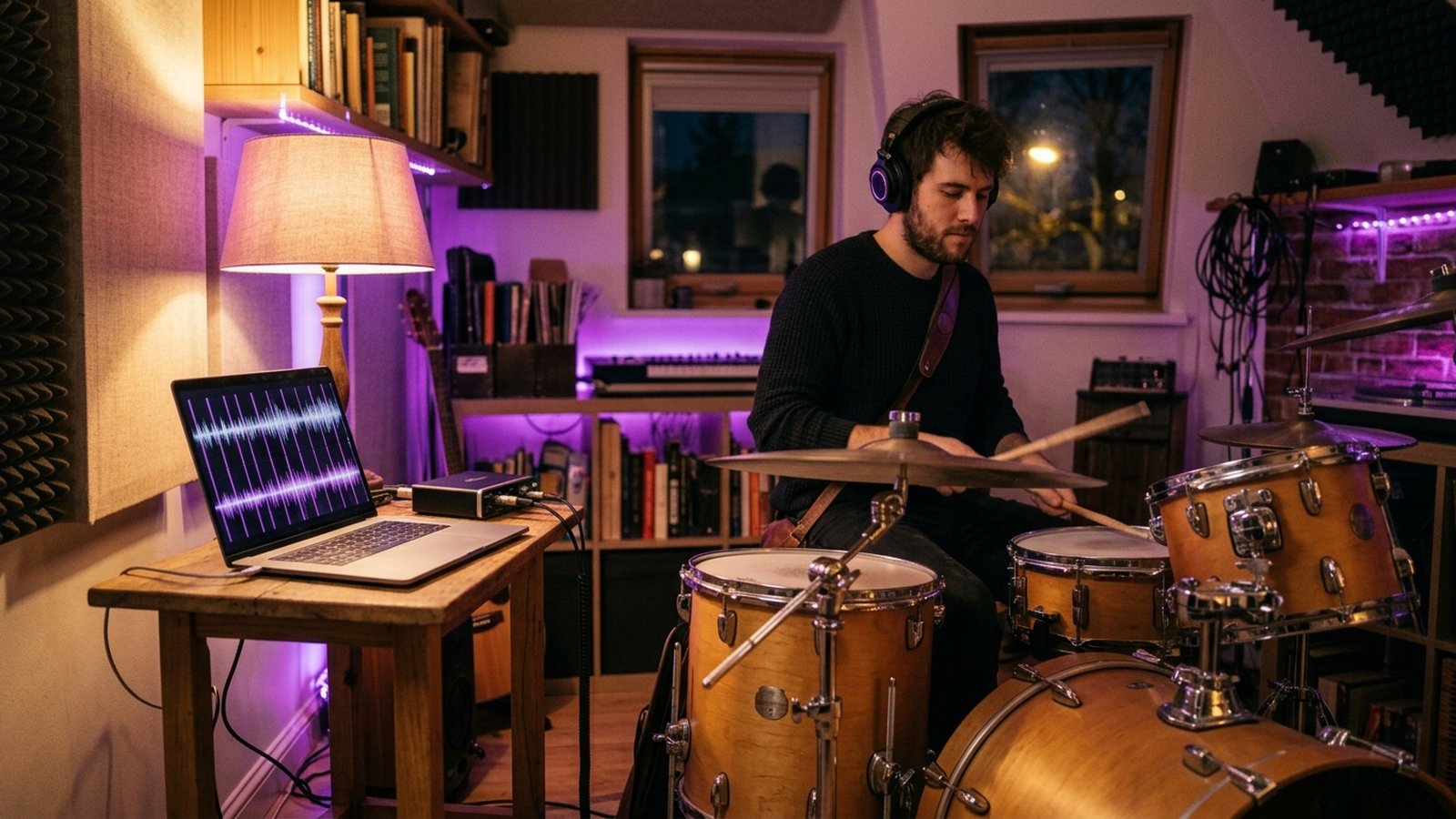
Press play on the Metronome panel. The metronome is locked to the song's tempo, so when it plays along with the track each click lands on a beat. If the song itself drifts in tempo (it happens on recordings played live) you will hear it, and you will hear where you rush in your own playing too.
5. Play the hard section at half speed
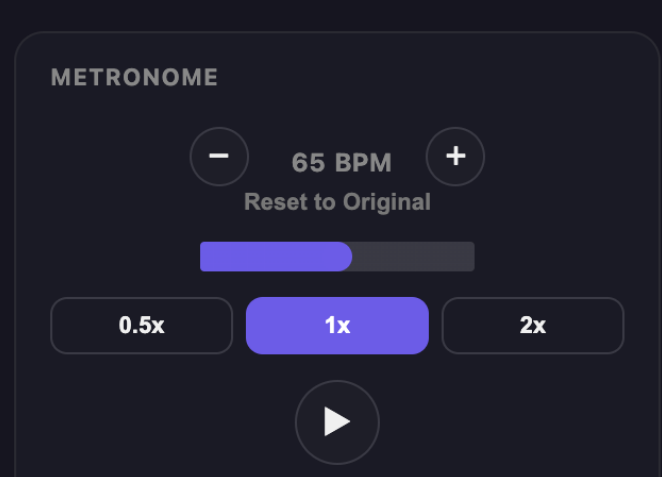
The 0.5x button on the Metronome panel takes the song down to half speed; the pitch stays the same and the metronome follows the new tempo. A 65 BPM song drops to around 32–33 BPM. Use − and + to change the tempo step by step and Reset to Original to go back to the original tempo.
6. Play your own part with the metronome
If you are a drummer, mute the Drums stem and play along with the rest of the song and the metronome. If you play guitar or bass, turn your own instrument down. We cover muting stems and playing your own part in detail in our guide to removing an instrument from a song.
A metronome practice routine that works
Knowing the BPM won't make you a better player on its own. This routine turns the number into a practice plan:
- Pick the hard section. Don't practice the whole song; work on the 4–8 bars where you get stuck.
- Find the tempo you can play cleanly. Start at half speed. The highest tempo you can play three times in a row without a mistake is today's starting point.
- Go up in small steps. After every clean pass, raise the tempo by a few BPM. The moment you make a mistake, go back one step.
- Write the number down. At the end of the session, note the tempo you reached. Next day, start a step or two below it.
- Turn the metronome off once you reach the original tempo. Play with the song's own drums. The metronome teaches you time; the song teaches you feel.
The same routine works for chord changes as well as tempo. If you want to work out a song's chords, see our guide on how to find the chords of a song. To see the whole practice workflow in one place, the complete guide to practicing any song is a good next step.
Where does automatic BPM detection struggle? Honest limits
Tempo detection gets most songs right, but in some cases you should check with your own ears:
- Half/double confusion. As described above, this is the most common error. Check with your foot.
- 6/8 and half-time songs. In 6/8 your foot usually lands twice per bar while detection may count the eighth notes; in a half-time groove the drums feel slow while the tempo is fast. Both naturally produce half/double readings: use ½× or 2× to set the metronome to the pulse you actually want to practice with.
- Songs that change tempo. Some songs slow down or speed up in the middle; a single number can't describe the whole song. On the grid you can see where the spacing between beats changes.
- Free-time intros. A drumless, rubato intro has no beat; the grid locks onto the real tempo once the song settles.
- Live recordings. Because people are playing, the tempo moves slightly. That isn't an error, it's the nature of the recording.
- Length limit. The song length you can process depends on your plan: 4 minutes on Free, 5 on Basic, 7 on Student and unlimited on Producer.
What's in each plan?
| Feature | Free | Basic | Student | Producer |
|---|---|---|---|---|
| Songs per month | 2 | 10 | 50 | Unlimited |
| Max. length | 4 min | 5 min | 7 min | Unlimited |
| BPM detection, speed change + metronome | ✔ | ✔ | ✔ | ✔ |
| Stem separation | 4 | 6 | 6+ | 6+ |
| Key change | — | ✔ | ✔ | ✔ |
| Tuner | — | — | ✔ | ✔ |
| Record channel | — | — | ✔ | ✔ |
Prices: Basic $2.99/month · Student $8.99/month · Producer $13.99/month, with a discount on annual billing. You can try the Producer plan free for 14 days. BPM detection and the metronome are included in the free plan, so you can try every step in this guide without paying.
VoxoMix runs on macOS (M1–M5) and Windows 10/11; the analysis happens entirely on your own computer and your song is never uploaded to a server.
Frequently asked questions
What is the fastest way to find the BPM of a song?
Open the song in an app that detects tempo automatically; the BPM appears within seconds. Without a tool, count the beats for 15 seconds and multiply by 4.
The app shows double the BPM — which one is right?
Tap your foot to the beat and turn the metronome on. If there are two clicks for every foot tap, the tempo was read at double; use half. In VoxoMix you fix this with the ½× and 2× buttons next to the grid.
Are BPM detection and the metronome free?
Yes. VoxoMix's free plan includes BPM detection, speed change and the metronome; you can process 2 songs a month up to 4 minutes long.
Does slowing a song down change its pitch?
No. Speed change keeps the pitch; the song plays slower but doesn't sound lower. The metronome follows the new tempo.
Should I practice with the metronome or with the song?
Both. Clean up the hard section with the metronome at a slow tempo first, then play with the song's own drums once you reach the original tempo. The metronome teaches timing; the song teaches feel.
Does my song leave my computer?
No. VoxoMix analyzes the song on your own computer; the file is never uploaded to a server.
Conclusion
Knowing a song's tempo instead of guessing it makes your practice measurable. Remember three things: find the BPM and check half/double errors with your foot, clean up the hard section at half speed with the metronome, and climb back to the original tempo in small steps. When you get there, turn the metronome off and play with the song itself.
Start this week with the section you keep getting stuck on, and write down today's tempo.
Download VoxoMix for free: BPM detection and the metronome are included in the free plan.
Download Free